JannyFucker5000
Also check https://datacat.mooo.com for an easier to use extractor
Configuration
First, make sure that your persona description isn't empty, put a space or something simple, and don't forget to save. Create a new chat with the bot you want to download.
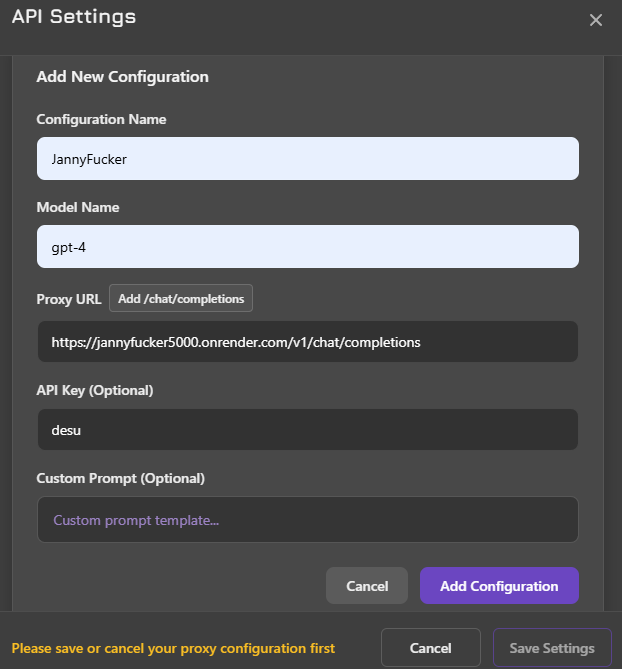
In your API settings, select Proxy and add a new Proxy Configuration, use the image as an example.
https://jannyfucker5000.onrender.com/v1/chat/completions
Copy
Download
RELOAD THE PAGE, and make sure you're using the proxy configuration set above, otherwise it won't work. Send a message in the following format, no spaces. The bot will reply with a Catbox link to download.
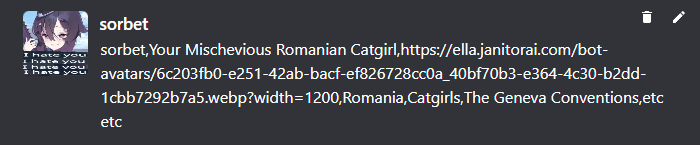
(your persona name),(bot name),(OPTIONAL image link),(OPTIONAL word to trigger a lorebook entry),(another OPTIONAL word to trigger a lorebook entry)
Copy
Custom Images
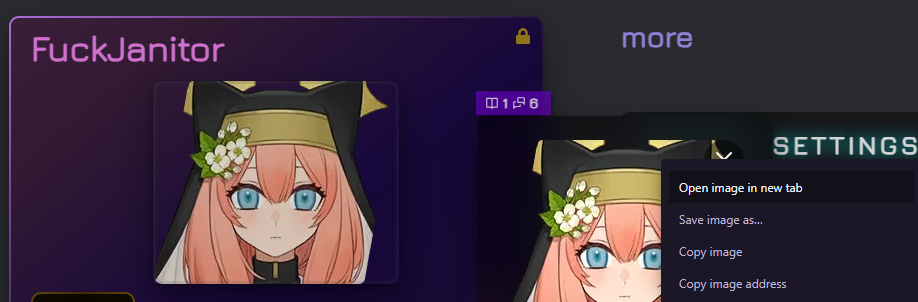
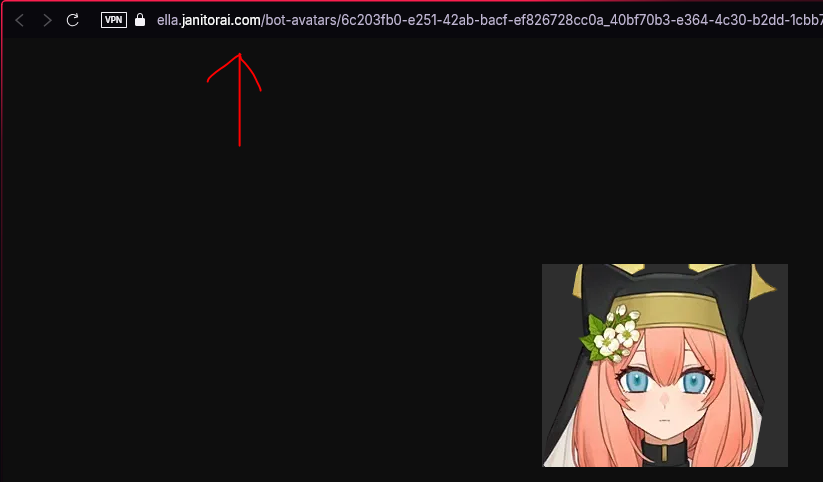
This code uses a default image to embed definitions. To use the original image, go to the character page, click the avatar, and open image in new tab. Copy that link and use it as the third argument.